

One report, and each viewer sees only their own rows
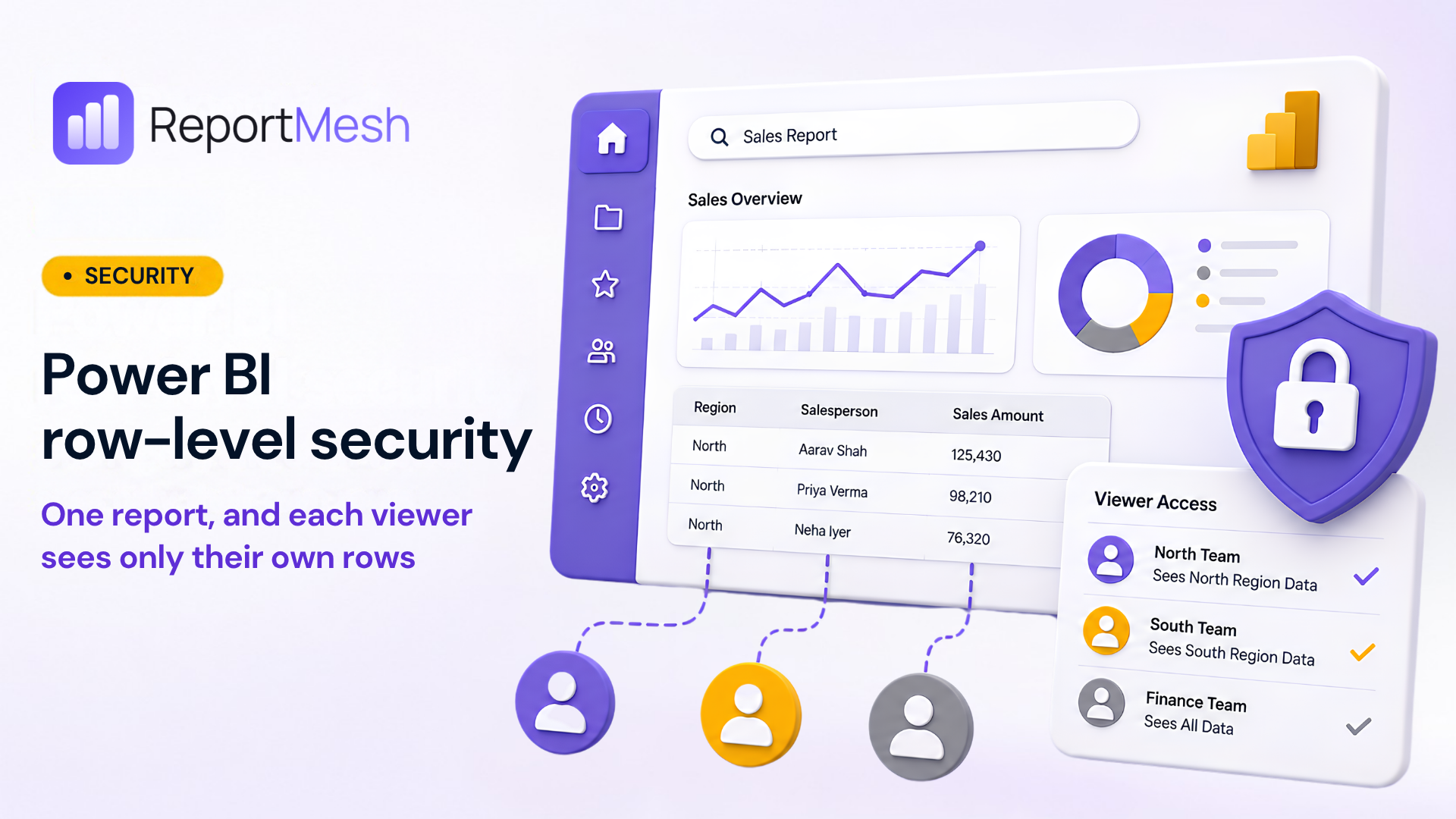
One report, and each viewer sees only their own rows
It comes up in nearly every demo, usually about fifteen minutes in. Someone has watched the reports load, followed the permissions model, and then asks the question they actually came with: can two people open the same report and see different numbers?
Yes. The report stays one report, the numbers stay one definition, and each viewer sees the rows that belong to them. Here is how that works and what setting it up actually involves.
Two different questions
Start by separating two things that sound similar and are not.
Can this person open the report at all? That is a permission. It is a property of your portal, and it is answered once, before anything renders.
Which rows do they see once it is open? That is row-level security. It is a property of the data model, and it is answered on every query the report makes.
Conflating the two is the most common way this goes wrong. "Only the northern team can open the northern report" is a permission, and it means building and maintaining a report per audience. "Everyone opens one sales report and each region sees its own rows" is row-level security. The second is what people usually mean when they ask, and it is what this post is about.
Where the filter lives, and why that is good news
Row-level security is a property of the semantic model, not of the report and not of the portal in front of it.
Someone opens the model in Power BI Desktop, defines a role, and writes a DAX expression that
filters a table. A role named North might carry [Region] = "North". That expression is the
security boundary, and it lives in the model.
This is worth dwelling on, because it is the part that makes the setup simple rather than complicated. Your Power BI developer has probably already done this work. The roles exist, the filters are written and tested, and they are the same rules that apply when someone opens the report in Power BI itself. Nothing needs redefining, and there is no second set of security rules to keep in step with the first.
What a portal adds is the mapping: which of your people gets which role. ReportMesh puts that role on the embed token, and Power BI applies the matching filter to every query the report makes. For static roles the filter value is fixed in the DAX, so the role name does all the work. Microsoft's documentation is explicit that in this case "the username can be any string" and the filter does not depend on it.
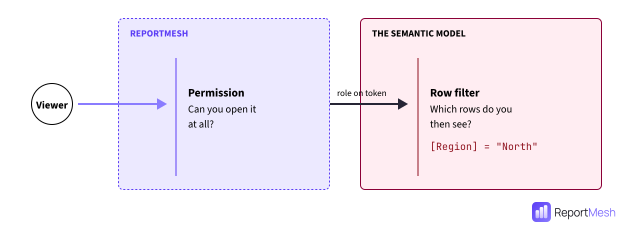
So the work splits cleanly in two:
- The Power BI developer defines the roles and the DAX. They decide what a slice of data is.
- ReportMesh maps people onto those role names. It decides who gets which slice.
One consequence worth stating: publish-to-web cannot do this at all. It is incompatible with RLS, and an RLS-secured model returns a "not supported" embed status. If rows must differ by viewer, the report has to sit behind something that authenticates.
A worked example
Say you have one sales report, built on one model, and three audiences: the northern team, the southern team, and a finance group that needs the whole picture.
In Power BI, your developer defines three roles on the model. North filters the sales table to
the northern region, South to the southern one, and Finance returns everything. This is ordinary
Power BI work and it is done once.
In ReportMesh, you register the report. The portal detects that the dataset is RLS-protected, and you declare the three role names from the handover note your developer gave you.
Then you assign. The northern sales group gets North. The southern sales group gets South.
The finance group gets Finance. Assignments work against groups as well as individual people, so
in most cases this is three assignments covering everyone, not one per person.
That is the configuration. From then on:
- Everyone opens the same report from the same link.
- A northern rep sees northern rows. A southern rep sees southern rows. Finance sees all of it.
- When someone joins the northern team, adding them to that group is the whole of the change. There is no per-person step in the report.
- When a measure changes, it changes once, in one model. There is no second copy of the logic to keep in step.
Compare that to the report-per-audience approach, where the same change has to be made three times and the three copies drift apart quietly until someone notices two teams quoting different totals in the same meeting.
What the portal does when something is missing
A viewer with no assigned role does not get an empty report. ReportMesh refuses the request and says what is missing, so it reaches you as "this person needs a role" rather than as a bug report about a dashboard that renders blank. If the dataset's RLS status cannot be read at all, it is treated as protected rather than unprotected.
A few other things hold by design. Viewers cannot ask for a role: their scope is computed from what was actually assigned to them, so a request naming a different role gets nowhere. Embed tokens are cached against the identity and roles they were minted for, so a scoped token is never served to another viewer. And revoking someone's access to a report removes their row assignments with it, so re-sharing later does not silently restore a scope nobody re-authorised.
Where this fits, and what it does not do
The shape this suits is a role per slice of data: a region, a department, a business unit, or a handful of large accounts. Microsoft describes the same fit for static roles, pointing at the case where "each department needs to access different data". If your requirement is a separate slice for each of several hundred customers, that is a different problem and this is not the tool for it.
Two limits are worth stating plainly, because they are the platform's shape rather than something a portal can paper over.
The correctness of a filter is the model author's responsibility. ReportMesh applies the role you assign. It cannot inspect the DAX behind that role and tell you whether it filters the way you intended, so a role that is written too permissively will look entirely normal from the portal. Whoever writes the roles owns testing them.
Role names come from your developer, not from a list. Power BI does not expose a dataset's role names through its API, so the names are declared from the handover note rather than picked from a dropdown. Getting them right at registration is what makes everything afterwards work.
If row scoping is on your requirements list, book a demo and we will walk through it against your own model.